Deployments
The Deployments section provides visibility into all artifacts deployed to the Fluxnova BPM Engine, including process models, decision definitions, and supporting resources. It enables users to view deployment details, explore associated resources, and perform lifecycle actions such as deletion and download.
Overview
Deployments can be accessed from the left navigation panel, following the standard application structure. This section allows users to:
- View all deployments
- Inspect resources bundled within each deployment
- Navigate to related process definitions and decision models
- Manage deployments through available actions
Deployments List View
The Deployments List View displays all available deployments in a tabular format.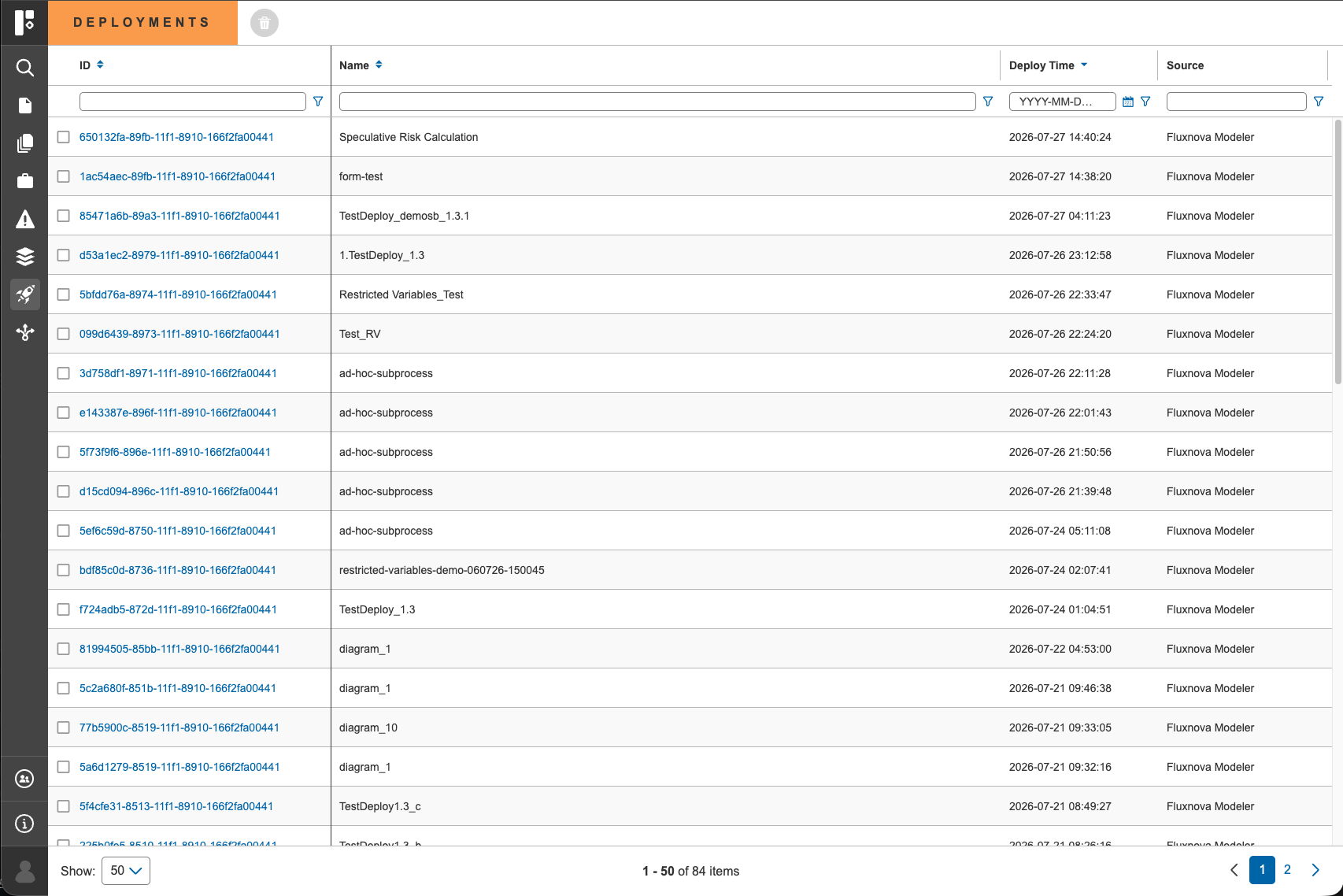
Displayed Information
Each deployment entry includes:
- Deployment ID
- Deployment Name
- Deployment Time
- Source
Key Capabilities
- Browse and identify deployments
- Select a deployment to view detailed information
- Delete deployments directly from the list view
Deployment Details View
Selecting a deployment opens the Deployment Details View, which follows the standard three-section layout used across the application.
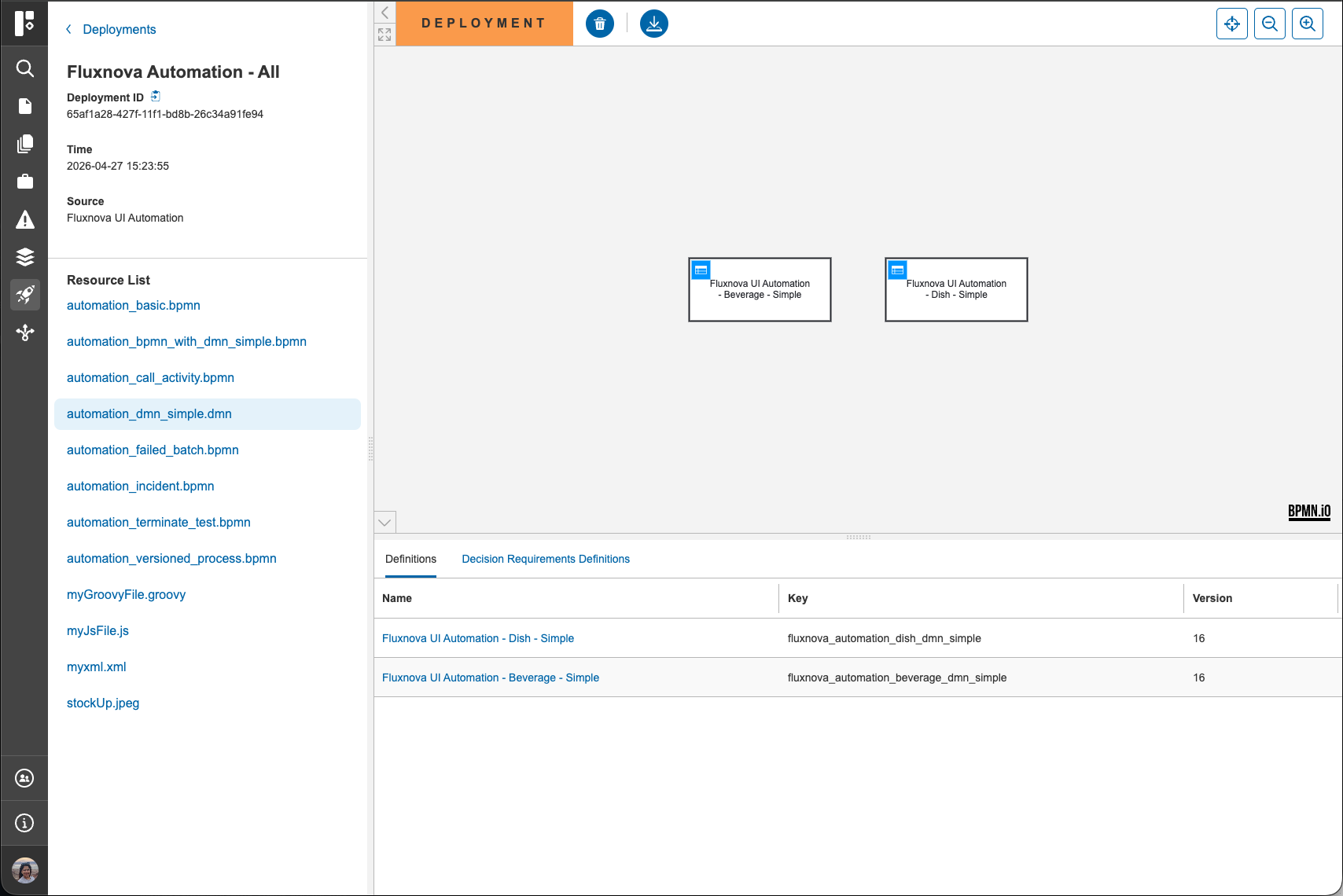
1. Left Panel – Deployment Metadata & Resources
The left panel provides:
- Deployment-level metadata (ID, name, time, source)
- A Resources list containing all artifacts associated with the deployment
Resource Types
Users can view various resource types, including:
- BPMN (process definitions)
- DMN (decision definitions)
- Scripts (e.g., Groovy, JavaScript)
- Unsupported file types can be downloaded
2. Canvas – Resource Visualization
When a resource is selected from the left panel:
- The selected resource is displayed in the canvas section
- For BPMN and DMN resources, this includes visual representations (e.g., process diagram or DRD)
This allows users to directly inspect deployed models and artifacts.
3. Bottom Section – Related Definitions
The bottom section displays tabs containing:
- Process Definitions associated with the deployment
- Decision Definitions (DRD) linked to the selected resource
These tabs provide quick navigation into related BPMN and DMN components.
Available Actions
Users can perform the following actions from the Deployment Details View:
- Delete the deployment
- Download deployment resources
These actions are accessible via the controls in the page header.
Navigation and Integration
The Deployments module is fully integrated with the Control Center navigation model:
- Users can move from a deployment to its associated process definitions and decision definitions
- Resources are directly linked, allowing efficient exploration of deployed artifacts