DMN
The DMN module in Fluxnova Control Center provides visibility into deployed decision definitions and their execution through decision instances. It allows users to explore decision logic and evaluate decision outcomes.
Overview
The DMN module follows a structure similar to BPMN, consisting of:
- Decision Definition List View
- Decision Definition Details View
- Decision Instance Details View
These views are interconnected and follow a consistent layout pattern, enabling intuitive navigation and analysis.
Decision Definition List View
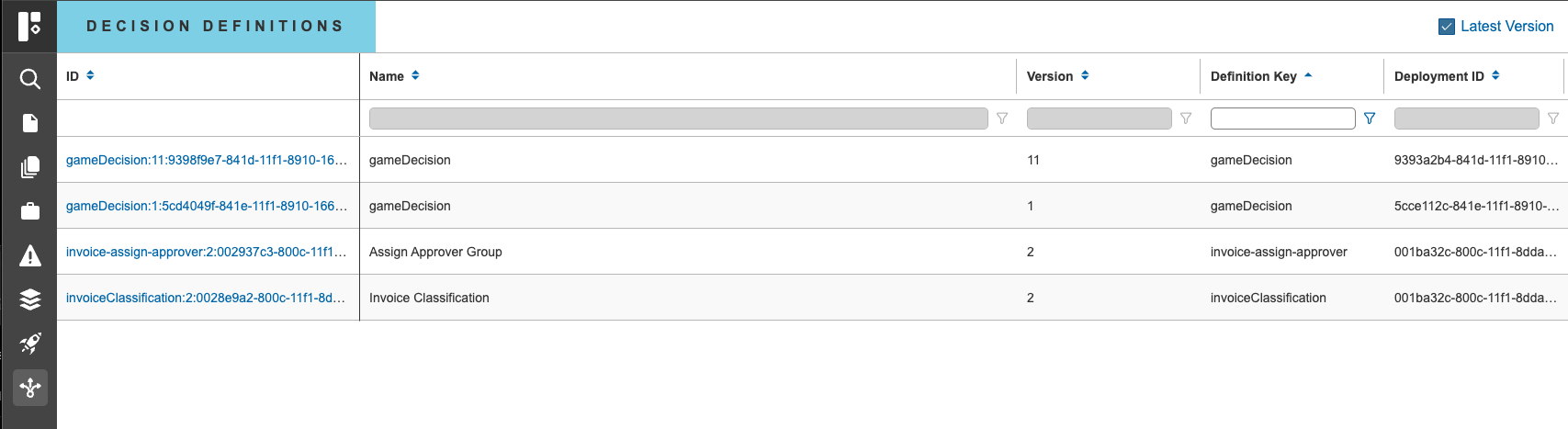
The Decision Definition List View displays all deployed decision definitions defaulted by latest version.
Key Characteristics
- Provides an overview of available decision definitions
- Apply filters to available columns
- Supports navigation into individual decision definition details
- No direct actions are available on this list page
Decision Definition Details View
Selecting a decision definition opens the Details View, which is structured into three sections similar to the BPMN Process Definition Details page.
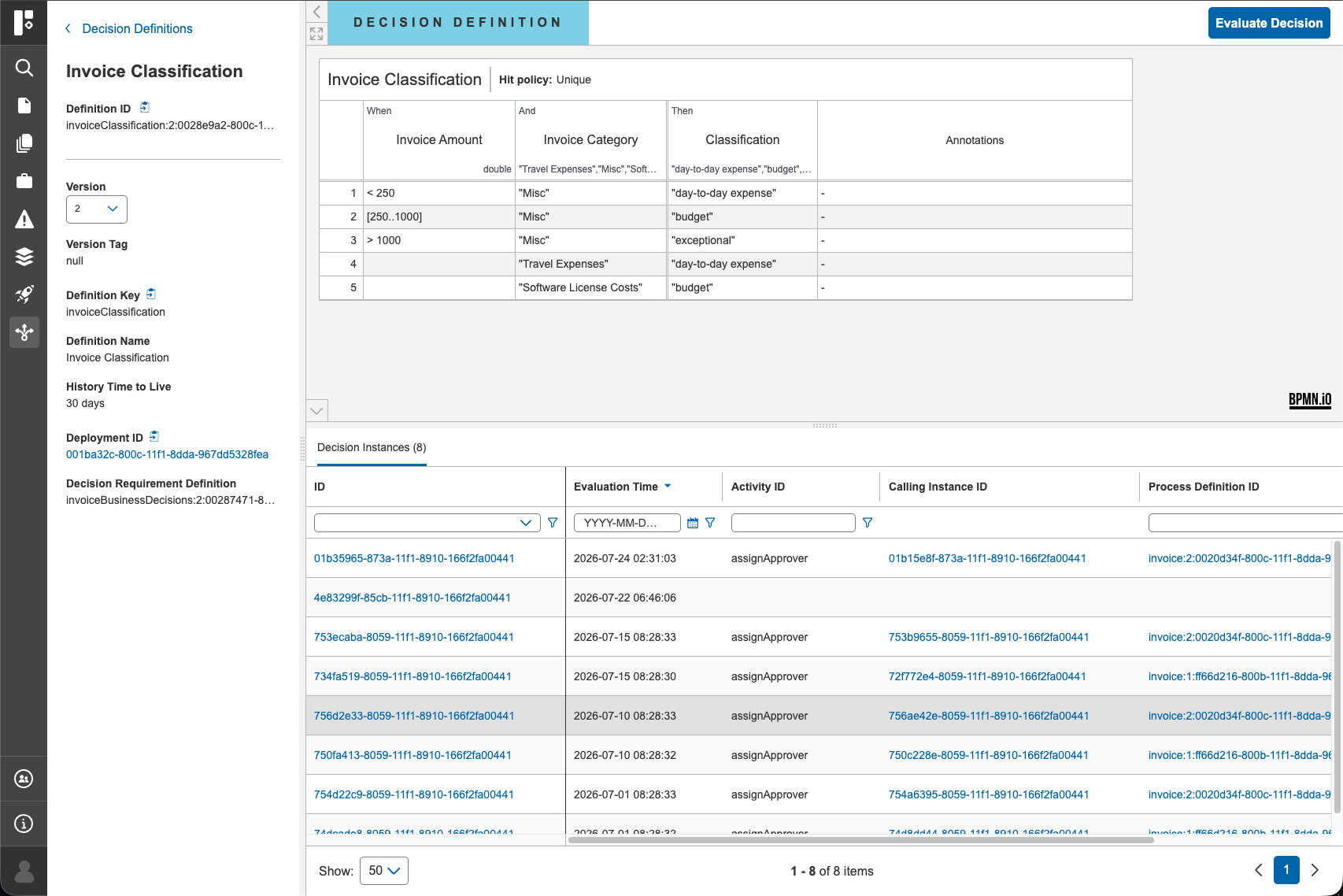
Clicking into decision instance ID navigates to the Decision Instance Details View.
1. Left Panel
The left panel provides key information about the decision definition, including:
- Definition name and key
- Version information
- Deployment details
Additional functionality:
- Version selection – Users can switch between different versions of the decision definition
2. Canvas & Header
The top section displays the DMN canvas, enabling switching between DRD and decision table views when available.
The top right header includes the Evaluate Decision option. This allows users to:
- Execute the decision logic
- Provide input data
- View decision results
3. Bottom Section – Decision Instances
The bottom section contains a Decision Instances list, showing all executions of the selected decision definition.
From here, users can navigate to individual Decision Instance Details View.
Decision Instance Details View
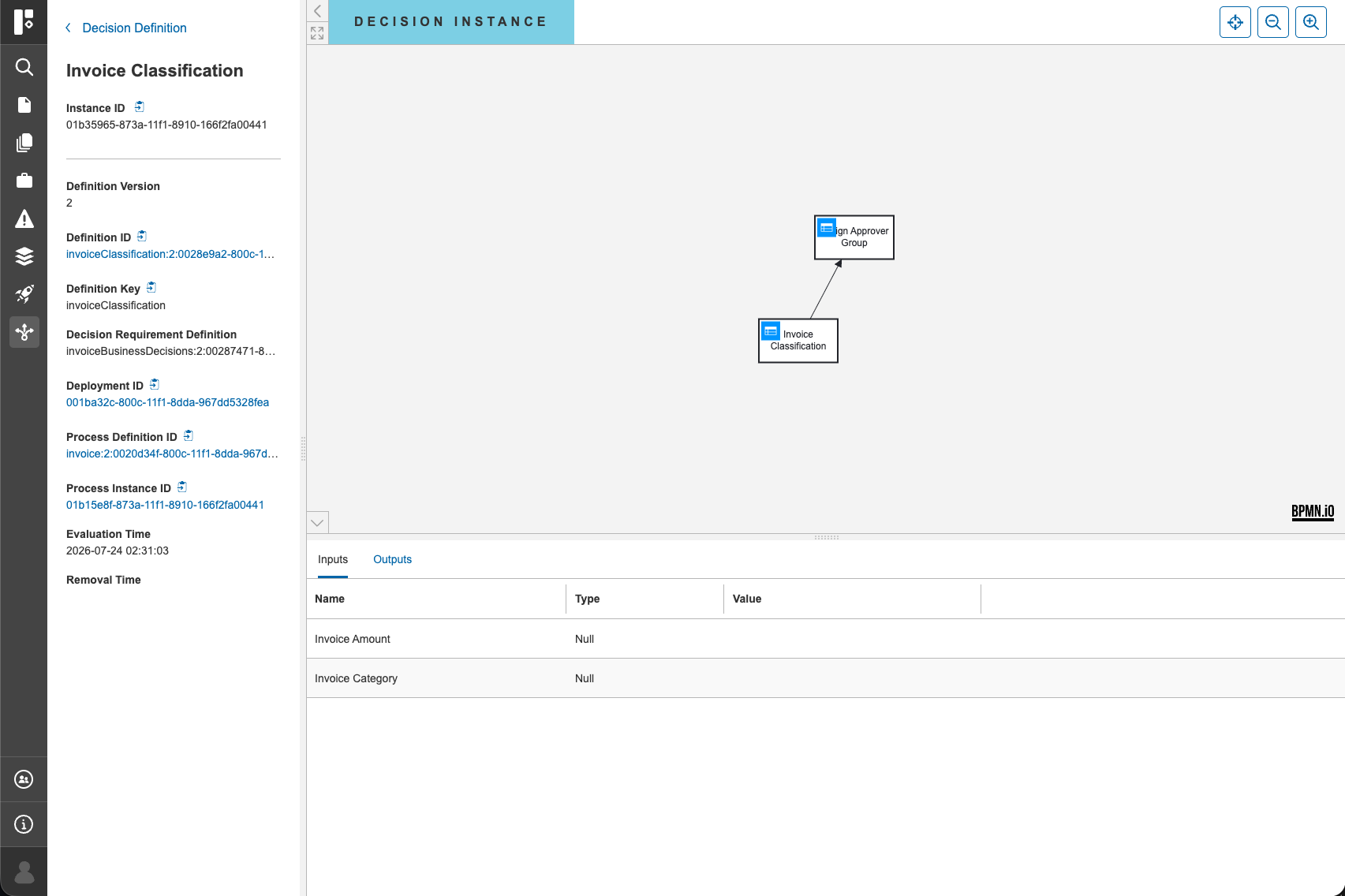
Selecting a decision instance opens its Details View, which follows the same three-section layout pattern:
- Left panel with instance metadata
- Canvas displaying DRD and decision table
- Input and Output data tabs
Key Characteristics
- Provides detailed information about a specific decision
- Enables analysis of inputs and outputs
- No operational actions are available on this page
Navigation Model
The DMN module follows the same connected navigation approach as BPMN:
- Decision definitions link to their execution Process and decision instances.
- Users can move seamlessly between list views and detailed views
- Layout consistency ensures a uniform user experience across modules